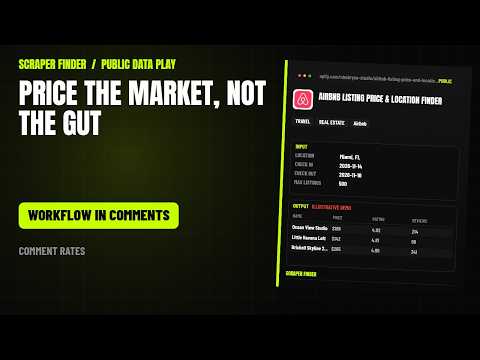
Airbnb price scraper in n8n
Search Airbnb by location and stay dates for listing price, rating, Superhost and verification status, GPS coordinates, and photos per property.
What this workflow does
Import it and n8n runs the Airbnb Listing Price & Location Finder Actor on Apify every day at 08:00 with the starter input below. Each row comes back with name, nightly price, stay total, currency and 26 more; repeats with the same url are dropped. A Google Sheets append is included and stays off until you add your sheet. The only credential it needs is your Apify API token.
Read from the workflow file, built for Airbnb Listing Price & Location Finder version 2.0.1. Updated 2026-11-14.How the rows travel
6 nodes, in the order n8n runs them. The yellow stop is the call to the Apify Actor; the dashed stop is optional.
- Daily trigger Schedule trigger
- Configure input Code
- Run Apify Actor HTTP Request
- Normalize + dedupe Code
- Rows ready No operation
- Google Sheets (optional) Google Sheets, off until you switch it on
From the Short
This workflow is the one the video points to: the number in each video opens this page.
Input
The Configure input node holds the starter input. Change it there; every setting the Actor accepts is listed below.
{
  "mode": "search",
  "location": "Miami, FL",
  "checkIn": "2026-12-01",
  "checkOut": "2026-12-03",
  "adults": 2,
  "maxListings": 20
}| Setting | Type | Required | Default | What it does |
|---|---|---|---|---|
| mode | string | No | search | Search discovers listings by location or map area. Details loads the listing URLs or IDs you provide. One of: search, details. |
| location | string | No | – | City, region, country or neighborhood, e.g. New York, Paris, SoHo. Airbnb's own location lookup validates the name before searching (mode=search). |
| placeId | string | No | – | Optional Google/Airbnb place ID (e.g. ChIJOwg_06VPwokRYv534QaPC8g). Takes precedence over the resolved location and skips text matching (mode=search). |
| neighborhood | string | No | – | Optional neighborhood to combine with Location, e.g. SoHo + New York (mode=search). |
| bbox | object | No | – | Search inside a map rectangle instead of a named location. Use decimal degrees: swLat, swLng (south-west corner) and neLat, neLng (north-east corner), plus an optional zoom… |
| listingUrls | array | No | – | Airbnb room URLs, e.g. https://www.airbnb.com/rooms/23222680 (mode=details). |
| listingIds | array | No | – | Numeric Airbnb listing IDs, e.g. 23222680. You can mix these with listing URLs (mode=details). |
| checkIn | string | No | – | Stay start date in YYYY-MM-DD format. Leave both dates empty to use Airbnb's displayed quote (search) or to skip the price quote (details). |
| checkOut | string | No | – | Stay end date in YYYY-MM-DD format. Must be after the check-in date. |
| adults | integer | No | 1 | Number of adult guests (1-16). |
| children | integer | No | 0 | Number of children aged 2-12 (0-15). |
| infants | integer | No | 0 | Number of infants under 2 (0-5). |
| pets | integer | No | 0 | Number of pets (0-5). |
| minPrice | integer | No | 0 | Lowest nightly price to include, in the selected currency. 0 means no minimum. |
| maxPrice | integer | No | 0 | Highest nightly price to include, in the selected currency. 0 means no maximum. |
| roomType | string | No | Any | Restrict results to one Airbnb room type. One of: Any, Entire home/apt, Private room, Shared room, Hotel room. |
| propertyType | string | No | Any | Restrict results to one Airbnb property type. 26 choices. |
| minBedrooms | integer | No | 0 | Minimum number of bedrooms. 0 means no minimum. |
| minBeds | integer | No | 0 | Minimum number of beds. 0 means no minimum. |
| minBathrooms | integer | No | 0 | Minimum number of bathrooms. 0 means no minimum. |
| maxListings | integer | No | 20 | Hard cap on records (1-300). Airbnb pages hold 40 results each; duplicate cards are removed automatically. |
| includeDetails | boolean | No | false | Adds the listing page and an exact stay quote: host, amenities, photos, description, fees and availability. Costs extra requests per listing. |
| includeReviews | boolean | No | false | Fetch recent guest reviews for each listing (up to maxReviews). |
| maxReviews | integer | No | 12 | Reviews returned per listing (1-24). |
| includeCalendar | boolean | No | false | Fetch the day-by-day availability calendar for each listing. |
| calendarMonths | integer | No | 12 | Number of months to return, starting with the current month (1-12). |
| currency | string | No | USD | Currency for prices. Airbnb returns quotes in this currency. 56 choices. |
| locale | string | No | en | Language/region used for Airbnb labels, dates and localized text. 35 choices. |
| proxyConfiguration | object | No | – | Optional. Leave empty and the actor connects directly, then switches to an automatic Apify proxy only if Airbnb blocks a request. |
What each row holds
Every field the Actor returns stays in the row (30 in its dataset schema). Normalize + dedupe trims text, drops empty fields, removes repeats with the same url and adds _source and _scrapedAt. The main fields:
| Field | What it is |
|---|---|
| name | Name |
| nightlyPrice | Nightly price |
| totalPrice | Stay total |
| currency | Currency |
| rating | Rating |
| reviewCount | Reviews |
| location | Location |
| roomType | Room type |
| url | URL |
What the first run costs
Each run starts at $0.40 on the Free plan (4 GB of memory), then $0.99 per 1,000 results, plus platform usage.
The Actor lists $0.99 per 1,000 results; its catalogue page breaks the price down by Apify plan. The Apify Free plan includes $5 of usage a month.
The Actor behind it
Airbnb Listing Price & Location Finder: Search Airbnb by location and stay dates for listing price, rating, Superhost and verification status, GPS coordinates, and photos per property.
The same job from an AI agent
The matching agent skill gives Claude Code, Codex, Cursor and other agents the same Actor, input and fields. Install it in one line:
npx skills add https://scraperfinder.com --skill airbnb-listing-price-and-location-finder The airbnb price scraper skill, with manual install and run steps
Questions people ask
How do I import this workflow into n8n?
Copy https://scraperfinder.com/n8n/airbnb-listing-price-and-location-finder.json. In n8n, open a new workflow, click the three-dot menu, choose Import from URL and paste it. Or download the JSON file and use Import from File; both give the same 6 nodes.
Do I need an Apify account?
Yes. The workflow calls the Airbnb Listing Price & Location Finder Actor through the Apify API with your own token, and each run is billed to your Apify account. The Free plan includes $5 of usage a month.
What does a run cost?
Each run starts at $0.40 on the Free plan (4 GB of memory), then $0.99 per 1,000 results, plus platform usage. The Actor's Store page shows the current price.
Can I change what it collects?
Yes: edit the input object in the Configure input node. The Actor takes 29 settings; the table on this page lists each one with its default. Raise maxListings once the first rows look right.
Does it work without Google Sheets?
Yes. The rows wait in the Rows ready node, so you can connect any other node there: a database, Airtable, a webhook or an email. The Google Sheets node is only one option.
Workflow updated 2026-11-14