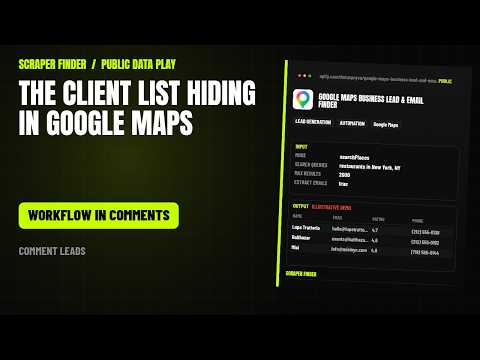
Google Maps leads with emails in n8n
Find business leads on Google Maps by category, keyword, or location and collect name, address, phone, website, rating, review count, and coordinates. Optionally adds emails and social links found on each business's own website.
What this workflow does
Import it and n8n runs the Google Maps Business Lead & Email Finder Actor on Apify every day at 08:00 with the starter input below. Each row comes back with business, categories, street, city and 35 more; repeats with the same placeId are dropped. A Google Sheets append is included and stays off until you add your sheet. The only credential it needs is your Apify API token.
Read from the workflow file, built for Google Maps Business Lead & Email Finder version 1.0.2. Updated 2026-11-14.How the rows travel
6 nodes, in the order n8n runs them. The yellow stop is the call to the Apify Actor; the dashed stop is optional.
- Daily trigger Schedule trigger
- Configure input Code
- Run Apify Actor HTTP Request
- Normalize + dedupe Code
- Rows ready No operation
- Google Sheets (optional) Google Sheets, off until you switch it on
From the Short
This workflow is the one the video points to: the number in each video opens this page.
Input
The Configure input node holds the starter input. Change it there; every setting the Actor accepts is listed below.
{
  "mode": "searchPlaces",
  "searchQueries": [
    "restaurants in New York, NY"
  ],
  "max_results": 20,
  "extractEmails": true,
  "onlySaveResults": "onlyWithContacts"
}| Setting | Type | Required | Default | What it does |
|---|---|---|---|---|
| mode | string | No | searchPlaces | Search Google Maps, look up specific places, or enrich a list of websites you already have. One of: searchPlaces, specificPlaces, enrichWebsites. |
| searchQueries | array | No | – | Natural-language searches such as 'coffee shops in Austin TX'. Include the place in each phrase, or use the location field below. |
| locationQuery | string | No | – | Adds a shared location to every search phrase, for example 'Austin, TX, USA'. Leave empty when your phrases already name the place. |
| category | string | No | bakery | Business category such as bakery, dentist or plumber. Used when keyword and search phrases are empty. |
| keyword | string | No | – | Custom search term such as 'boutique coffee' or 'pet grooming'. Takes priority over category. |
| state | string | No | All | US state for the search. Choose 'All' for nationwide. Ignored for non-US countries. 51 choices. |
| country | string | No | US | Country for the search. Other countries can be named directly in a search phrase. 14 choices. |
| websites | array | No | – | Websites to read for contact details, one per line. Bare domains such as example.com are accepted. |
| placeUrls | array | No | – | Google Maps place links copied from the address bar or a previous export. |
| placeIds | array | No | – | Canonical Google Place IDs starting with 'ChIJ'. |
| max_results | integer | No | 100 | Maximum number of leads to save. Google returns a ranked window of roughly 150-220 businesses per search phrase, so a larger request may end when that window ends. |
| minRating | number | No | – | Keep only businesses rated at least this value (1.0-5.0). Leave empty for any rating. |
| extractEmails | boolean | No | true | Visit each business website for public emails, phone numbers and social profiles. Turn off for a faster Maps-only run. |
| maxEmailsPerWebsite | integer | No | 5 | Maximum email addresses to keep for one business website. |
| maxContactPagesPerWebsite | integer | No | 3 | Homepage plus contact, about, legal, privacy or careers pages to read. More pages find more contacts but take longer. |
| onlySaveResults | string | No | allPlaces | Save every business, only businesses with an email, or only businesses with any contact detail. One of: allPlaces, onlyWithEmails, onlyWithContacts. |
| categoryFilter | array | No | – | Keep places whose Google Maps category contains all words of at least one entry. Leave empty for no category filter. |
| websiteFilter | string | No | allPlaces | Keep all places, only places with a website, or only places without one. One of: allPlaces, withWebsite, withoutWebsite. |
| skipClosedPlaces | boolean | No | false | Check Google's public status and leave out permanently or temporarily closed places. |
| language | string | No | en | Language of the Google Maps interface and listing text. 76 choices. |
What each row holds
Every field the Actor returns stays in the row (39 in its dataset schema). Normalize + dedupe trims text, drops empty fields, removes repeats with the same placeId and adds _source and _scrapedAt. The main fields:
| Field | What it is |
|---|---|
| name | Business |
| googleBusinessCategories | Categories |
| street | Street |
| city | City |
| state | State / region |
| zip | Postal code |
| country | Country |
| countryCode | Country code |
| phoneNumber | Phone |
| url | Website |
| emails | Emails |
| reviewScore | Rating |
| reviewsNumber | Reviews |
| placeId | Place ID |
| featureId | Feature ID |
| googleMapsUrl | Google Maps |
| priceLevel | Price level |
| plusCode | Plus Code |
| location | Coordinates |
| X / Twitter | |
| youtube | YouTube |
| tiktok | TikTok |
| websitePhones | Website phones |
| contactPageUrl | Contact page |
| websitePagesCrawled | Website pages crawled |
| emailsMxValid | MX-valid emails |
| emailProvenance | Email sources |
| threads | Threads |
| telegram | Telegram |
| websiteType | Website type |
What the first run costs
With the starter input (max_results = 20) a first run costs about $0.42 on the Apify Free plan: $0.40 to start the run at 4 GB of memory and $0.02 for the results, plus platform usage.
The Actor lists $0.99 per 1,000 results; its catalogue page breaks the price down by Apify plan. The Apify Free plan includes $5 of usage a month.
The Actor behind it
Google Maps Business Lead & Email Finder: Find business leads on Google Maps by category, keyword, or location and collect name, address, phone, website, rating, review count, and coordinates. Optionally adds emails and social links found on each business's own website.
The same job from an AI agent
The matching agent skill gives Claude Code, Codex, Cursor and other agents the same Actor, input and fields. Install it in one line:
npx skills add https://scraperfinder.com --skill google-maps-business-lead-and-email-finder The google Maps leads with emails skill, with manual install and run steps
Also on
- The n8n template gallery: the reviewed listing of this workflow.
- How to scrape Google Maps leads with n8n (free workflow): a step-by-step tutorial on dev.to.
Questions people ask
How do I import this workflow into n8n?
Copy https://scraperfinder.com/n8n/google-maps-business-lead-and-email-finder.json. In n8n, open a new workflow, click the three-dot menu, choose Import from URL and paste it. Or download the JSON file and use Import from File; both give the same 6 nodes.
Do I need an Apify account?
Yes. The workflow calls the Google Maps Business Lead & Email Finder Actor through the Apify API with your own token, and each run is billed to your Apify account. The Free plan includes $5 of usage a month.
What does a run cost?
With the starter input (max_results = 20) a first run costs about $0.42 on the Apify Free plan: $0.40 to start the run at 4 GB of memory and $0.02 for the results, plus platform usage. The Actor's Store page shows the current price.
Can I change what it collects?
Yes: edit the input object in the Configure input node. The Actor takes 20 settings; the table on this page lists each one with its default. Raise max_results once the first rows look right.
Does it work without Google Sheets?
Yes. The rows wait in the Rows ready node, so you can connect any other node there: a database, Airtable, a webhook or an email. The Google Sheets node is only one option.
Workflow updated 2026-11-14