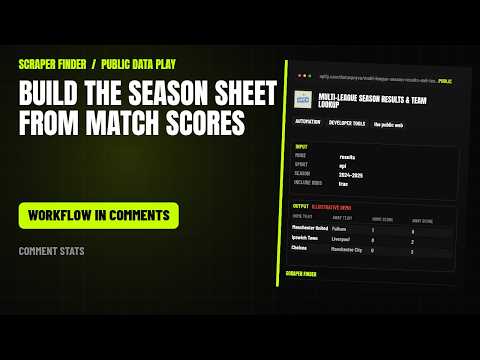
Multi-League season results in n8n
Get final scores for a season across 10 major soccer, football, basketball, baseball, and hockey leagues, or look up every team's roster details for a league in one run.
What this workflow does
Import it and n8n runs the Multi-League Season Results & Team Lookup Actor on Apify every day at 08:00 with the starter input below. Each row comes back with home team, away team, home score, away score and 21 more. A Google Sheets append is included and stays off until you add your sheet. The only credential it needs is your Apify API token.
Read from the workflow file, built for Multi-League Season Results & Team Lookup version 1.0.2. Updated 2026-11-14.How the rows travel
6 nodes, in the order n8n runs them. The yellow stop is the call to the Apify Actor; the dashed stop is optional.
- Daily trigger Schedule trigger
- Configure input Code
- Run Apify Actor HTTP Request
- Normalize + dedupe Code
- Rows ready No operation
- Google Sheets (optional) Google Sheets, off until you switch it on
From the Short
This workflow is the one the video points to: the number in each video opens this page.
Input
The Configure input node holds the starter input. Change it there; every setting the Actor accepts is listed below.
{
  "teamQuery": "Arsenal",
  "enrichTeams": false,
  "mode": "results"
}| Setting | Type | Required | Default | What it does |
|---|---|---|---|---|
| mode | string | Yes | results | Season results with odds, a league's team roster, or a team lookup by name. One of: results, teams, teamSearch. |
| sport | string | No | epl | Which competition to fetch. Ignored when leagueUrls is set. 32 choices. |
| season | string | No | 2024-2025 | Season to fetch. Soccer-style seasons use YYYY-YYYY (a plain YYYY expands to YYYY-YYYY); calendar-year leagues (MLB, MLS, NPB, J1, K League) use YYYY; 'current' is the live… 9 choices. |
| leagueUrls | array | No | – | Optional: one or more OddsPortal league or season-results URLs (any sport or league, e.g. https://www.oddsportal.com/football/england/premier-league-2024-2025/results/). |
| teamQuery | string | No | – | Team to look up by name (teamSearch mode), e.g. Arsenal or Real Madrid. |
| includeOdds | boolean | No | true | Add 1X2 average and maximum odds, bookmaker count and per-bookmaker prices to each result. |
| includeUpcoming | boolean | No | true | Keep scheduled and in-progress matches; turn off to get only finished results. |
| enrichTeams | boolean | No | true | In teams and teamSearch modes, open each team's page for its full name, venue, city, country and coach. Adds one request per team. |
| regionalFallback | boolean | No | true | When a league-season is empty on the main domain, retry it on the same site's regional edition (a few competitions, e.g. ACB, only publish older seasons there). |
| maxItems | integer | No | 20 | Maximum records to return (1-10000). The run also stops when the source runs out of pages. |
What each row holds
Every field the Actor returns stays in the row (25 in its dataset schema). Normalize + dedupe trims text, drops empty fields and adds _source and _scrapedAt. The main fields:
| Field | What it is |
|---|---|
| homeTeam | Home Team |
| awayTeam | Away Team |
| homeScore | Home Score |
| awayScore | Away Score |
| matchDate | Match Date |
| status | Status |
| oddsHome | Odds Home |
| oddsDraw | Odds Draw |
| oddsAway | Odds Away |
| bookmakerCount | Bookmaker Count |
What the first run costs
With the starter input (maxItems = 20) a first run costs about $0.42 on the Apify Free plan: $0.40 to start the run at 4 GB of memory and $0.02 for the results, plus platform usage.
The Actor lists $0.99 per 1,000 results; its catalogue page breaks the price down by Apify plan. The Apify Free plan includes $5 of usage a month.
The Actor behind it
Multi-League Season Results & Team Lookup: Get final scores for a season across 10 major soccer, football, basketball, baseball, and hockey leagues, or look up every team's roster details for a league in one run.
The same job from an AI agent
The matching agent skill gives Claude Code, Codex, Cursor and other agents the same Actor, input and fields. Install it in one line:
npx skills add https://scraperfinder.com --skill multi-league-season-results-and-team-lookup The multi-League season results skill, with manual install and run steps
Questions people ask
How do I import this workflow into n8n?
Copy https://scraperfinder.com/n8n/multi-league-season-results-and-team-lookup.json. In n8n, open a new workflow, click the three-dot menu, choose Import from URL and paste it. Or download the JSON file and use Import from File; both give the same 6 nodes.
Do I need an Apify account?
Yes. The workflow calls the Multi-League Season Results & Team Lookup Actor through the Apify API with your own token, and each run is billed to your Apify account. The Free plan includes $5 of usage a month.
What does a run cost?
With the starter input (maxItems = 20) a first run costs about $0.42 on the Apify Free plan: $0.40 to start the run at 4 GB of memory and $0.02 for the results, plus platform usage. The Actor's Store page shows the current price.
Can I change what it collects?
Yes: edit the input object in the Configure input node. The Actor takes 10 settings; the table on this page lists each one with its default. Raise maxItems once the first rows look right.
Does it work without Google Sheets?
Yes. The rows wait in the Rows ready node, so you can connect any other node there: a database, Airtable, a webhook or an email. The Google Sheets node is only one option.
Workflow updated 2026-11-14